
SIP Trunk Setup and Options (IP Whitelisting)
The IP Whitelisting feature lets you send calls directly from your PBX, SBC, or server to PBXme without registering a SIP device — known as the Direct IP method. Recommended for anyone using a static public IP.
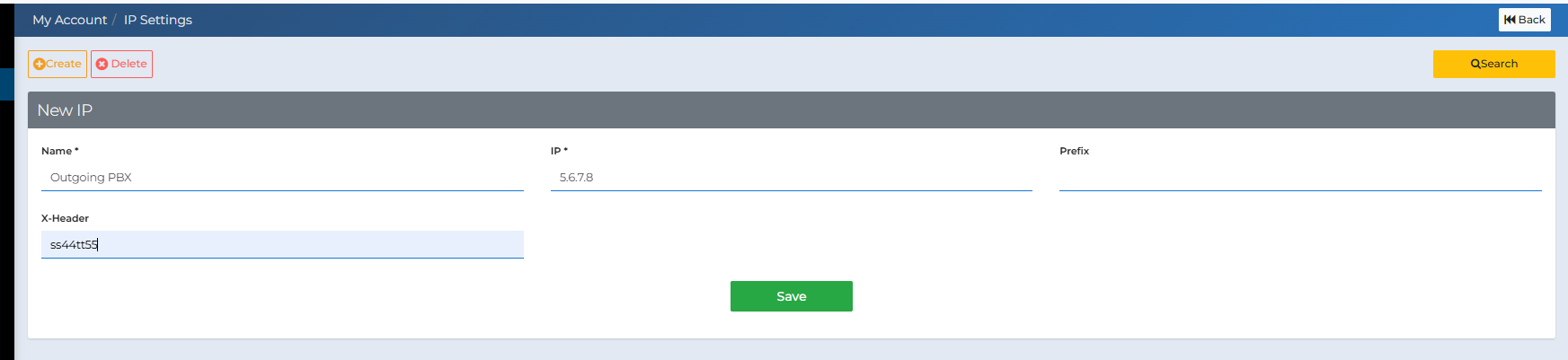
- If only one account uses that IP, only the IP field is needed.
- If multiple customers share the same IP, a Prefix or X-Header must be added to differentiate traffic.
- A single account can also whitelist multiple IPs if its traffic may originate from multiple servers.
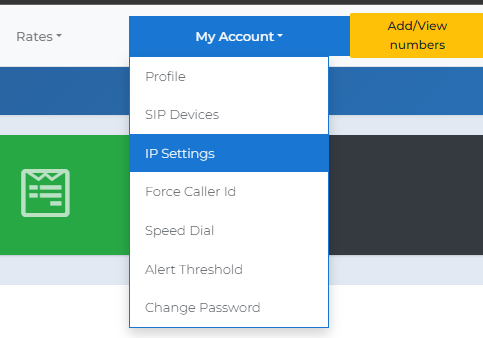
| 1 | Go to My Account → IP Settings from the top menu.
|
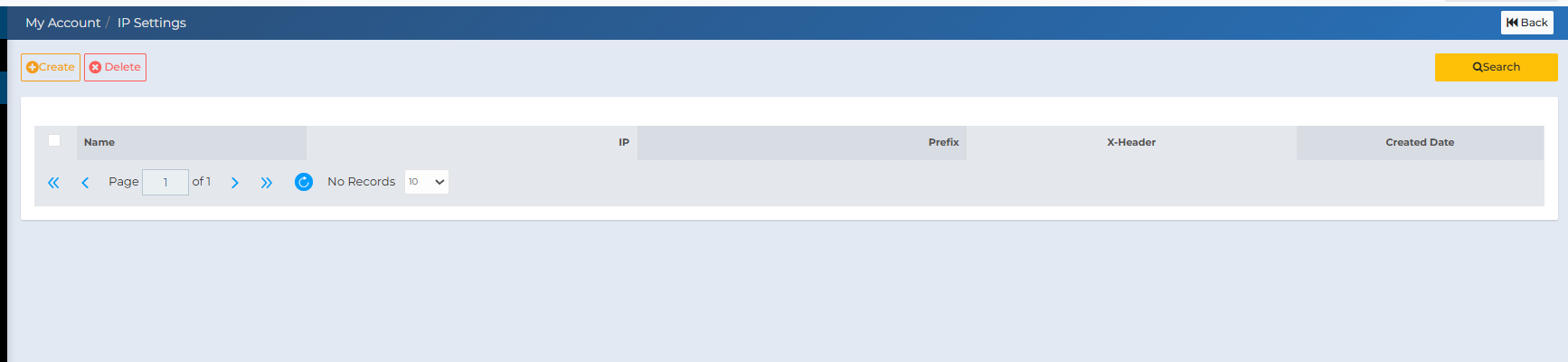
| 2 | On the IP Whitelist page, click Create to add a new entry.
|
| 3 | Fill in the form fields:
|
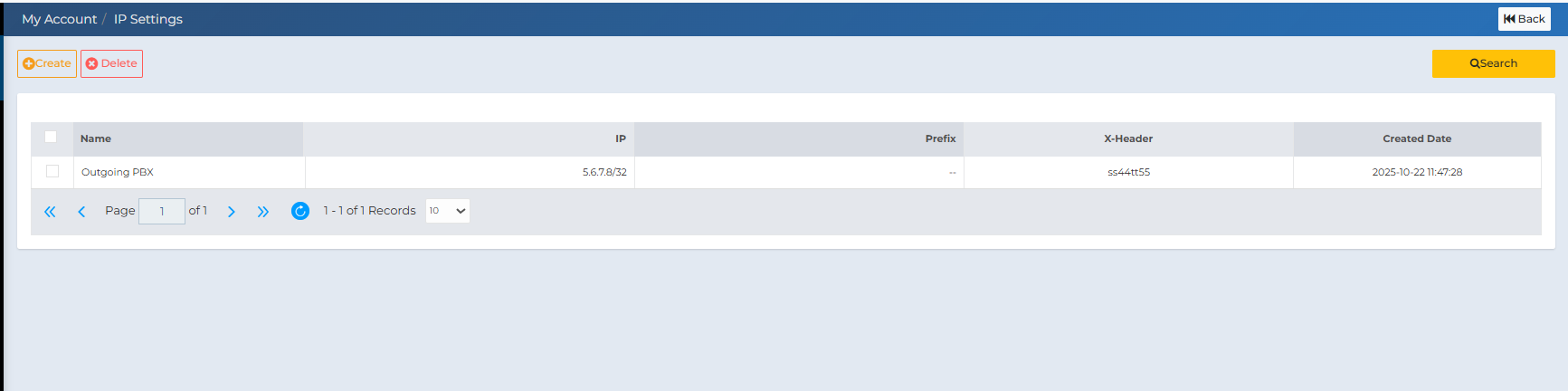
| 4 | Click Save. The IP will appear in the list showing the IP, Prefix, X-Header, and creation date.
|
| 5 |
|
Glossary
- Whitelist
- A list of IPs authorized to connect directly to PBXme.
- Direct IP
- A method of sending calls without SIP registration credentials.
- Prefix
- A short numeric code prepended to dialed numbers to identify the account.
- X-Header
- A custom SIP header that identifies the traffic source account.
- /32
- Indicates one single IP address (e.g., 5.6.7.8/32).
If you need help, contact support@pbxme.com or WhatsApp +972 55-966-4944.