
Pickup Group Manual
A Pickup Group lets multiple SIP devices (phones or softphones) answer each other’s incoming calls. Instead of routing a number directly to a group, numbers are routed to SIP devices, and those devices are linked to Pickup Groups via Call Routing (Advanced) settings — each device set to a pickup group shares the load of incoming calls with the rest of the group.
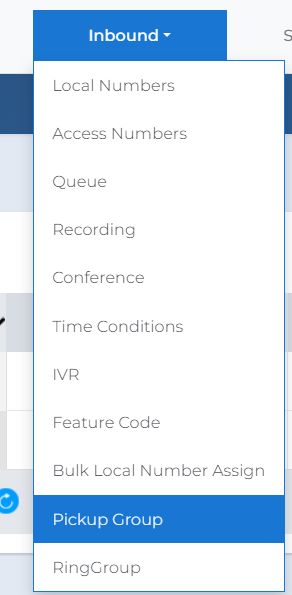
| 1 | Access Pickup Groups: navigate to Inbound → Pickup Group.
Inbound → Pickup Group menu |
| 2 | Open the Pickup Group page. |