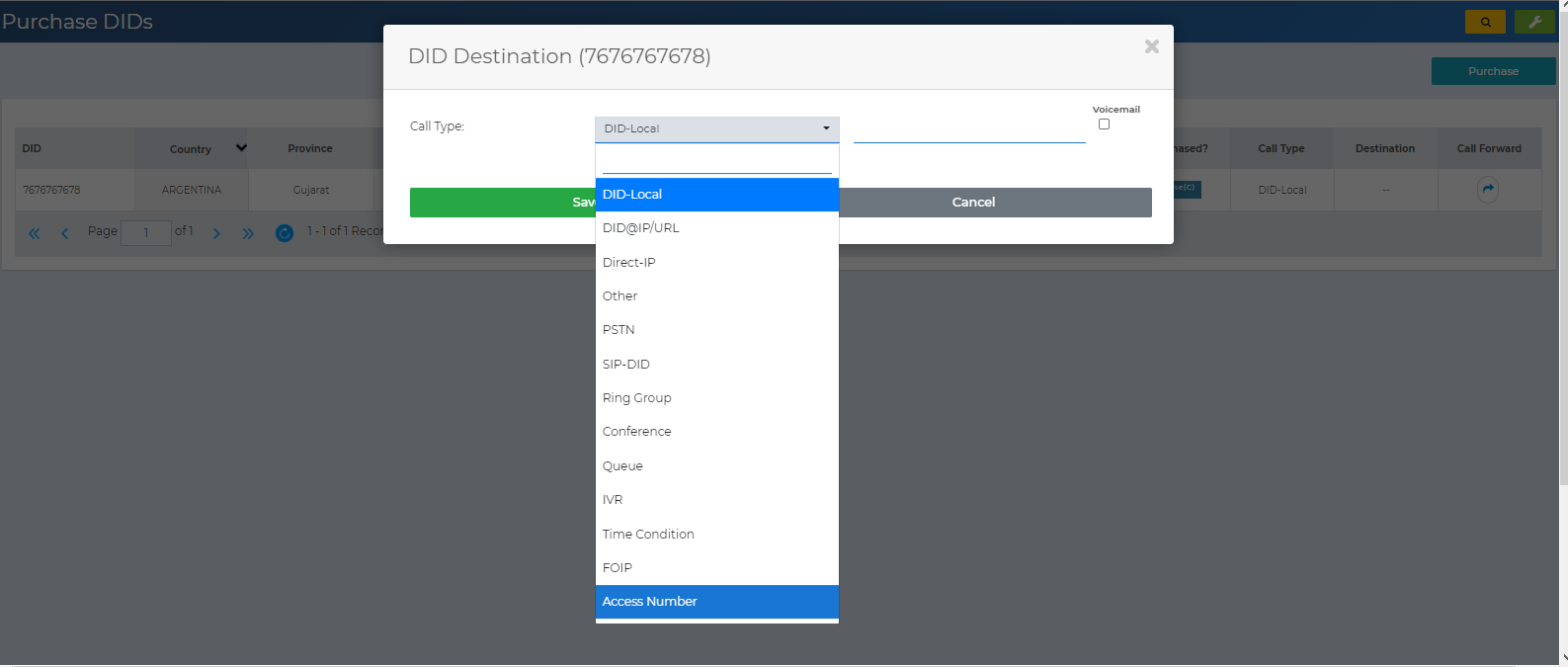
Connecting a Local Number as an Access Number (DISA)
How to connect a local number as an Access Number (DISA).
| 1 | Go to the Local Numbers view (if you’re not already there) via top menu → Inbound → Local Numbers. You’ll see all the local numbers purchased for your account. |
| 2 | Click the “Call Forward” arrow button next to the desired local number. |
| 3 | In the popup that appears, select “Access Number.”
|