
This article describes how to update your Tax ID and Address for invoices.
1. Login your account
2. On the upper right corner , click on your name -> My Profile
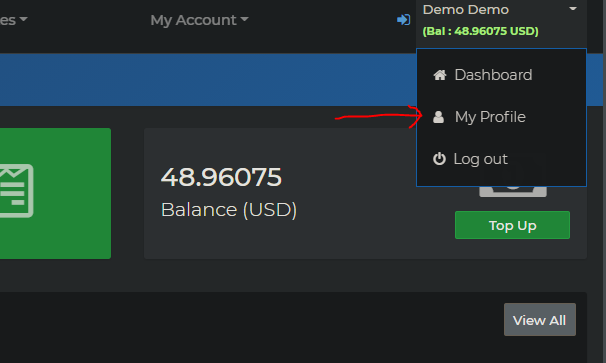
3. Fill your Business / Personal adress.
4. At the bottom fill in your Tax ID
5. Click Save
** the above info will now shown in your invoices